
Build Visual Workflow
You can now create and manage your approval workflow visually directly from the PerformFlow dashboard: Build Visual Workflow, without needing to return to your Google Form.
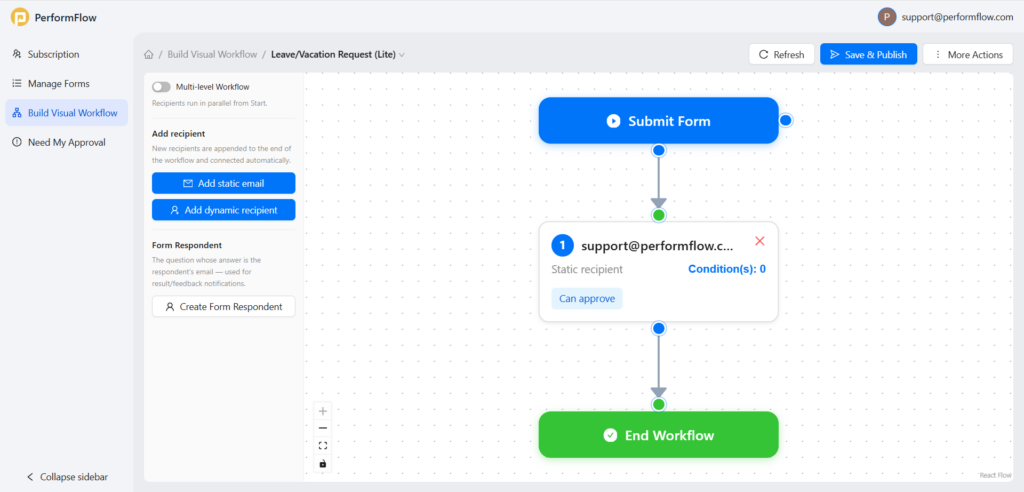
- Visual Diagramming: View your entire process from form submission to completion as a connected, easy-to-understand flowchart.
- Seamless Management: Create, update, and review your workflows in one place without needing to return to your Google Form.
- Flexible Step Addition: Quickly add static emails for fixed recipients, dynamic recipients from form responses, or include the original form respondent in the flow.
- Drag-and-Drop Editing: Easily rearrange steps to build multi-step approvals or click on any block to adjust roles and conditions.
- Draft & Publish: Work at your own pace by clicking Save Draft, or go live instantly with Save & Publish.
The new visual workflow builder gives you a clearer and faster way to manage approvals, automate routing, and update workflows all in one place.
Team Plan Evolution: Unlimited Admin Access
We are excited to announce a significant upgrade to the PerformFlow Team plan. To better support growing organizations and collaborative teams, we have officially increased the limit for admin users from 100 to Unlimited. This change ensures your team can scale without boundaries, giving you the flexibility to manage your workflows with as many administrators as your organization requires.
Expanded Generation Quotas for Paid Plans
To provide you with more power and flexibility for your automation needs, we are significantly boosting the daily generation quotas for all paid plans. These updates allow you to handle higher volume workloads with greater ease:
- Gmail Users: Increased from 250 to 20,000 generations per day.
- Google Workspace (Domain) Accounts: Increased from 1,500 to 100,000 generations per day.
These expanded limits are designed to support your operations at scale, ensuring your workflows remain uninterrupted as your productivity demands grow.
Document Generation in Visual Workflow
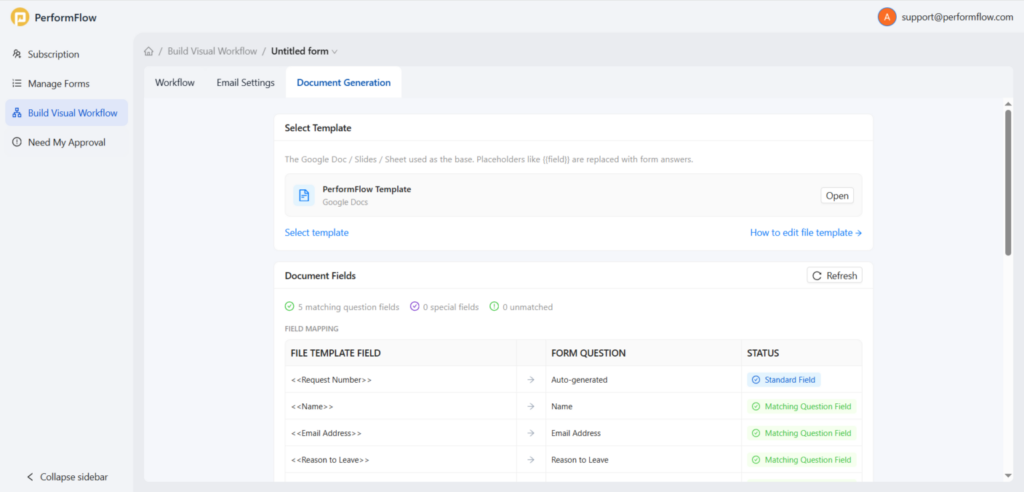
We’ve streamlined the Document Generation feature to make automating your invoices, certificates, and reports more intuitive than ever. Located directly within your Visual Workflow tab, this update gives you full control over how your data translates into professional documents.
Key Features:
- Smart Template Mapping: Simply select your Google Doc or Sheet template and use
<<Question Name>>for form data or{{System Data}}for workflow tracking. The system auto-scans and maps your fields instantly. - Dynamic Field Refresh: Made a change to your template? Just click Refresh in the Document Fields section to sync your placeholders immediately.
- Flexible Destination Folders: Organize your files automatically. Set a Default Folder for all output, or use Conditional Routing to send specific documents to designated folders based on user responses (e.g., routing by department or request type).
- Custom Naming Rules: Use dynamic tokens to generate files with professional, unique naming patterns—like
#<<Request ID>> - <<Name>> - Invoice—ensuring your Drive stays clutter-free and searchable.
Need to update your template layout or destination rules? Simply open your workflow in the Visual Workflow editor and head to the Document Generation tab to get started.
Import & Export Workflow Settings
Setting up the same approval workflow across multiple forms just got much easier!
You can now export your workflow configuration and import it into another form with just a few clicks. No more manually recreating recipients, approval levels, notifications, and workflow settings every time.
Whether you are setting up a new form or copying a successful process across accounts, you can now:
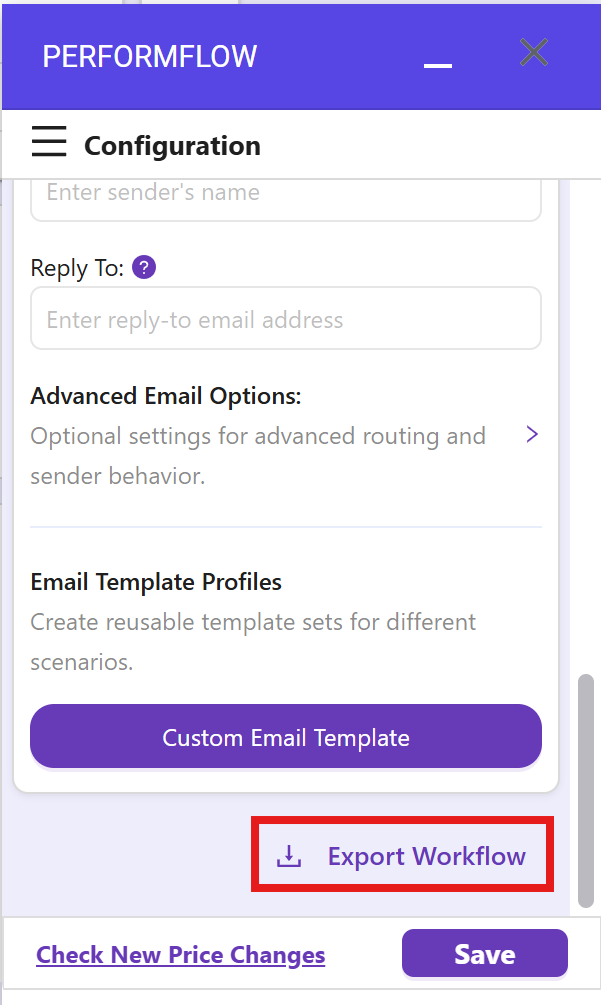
- Export Workflow: Scroll to the bottom of your workflow settings and click Export Workflow to download your configuration file.
- Import Workflow: On the “Select a Mode” screen, click Import Workflow, upload your file, and hit confirm to apply your settings instantly.
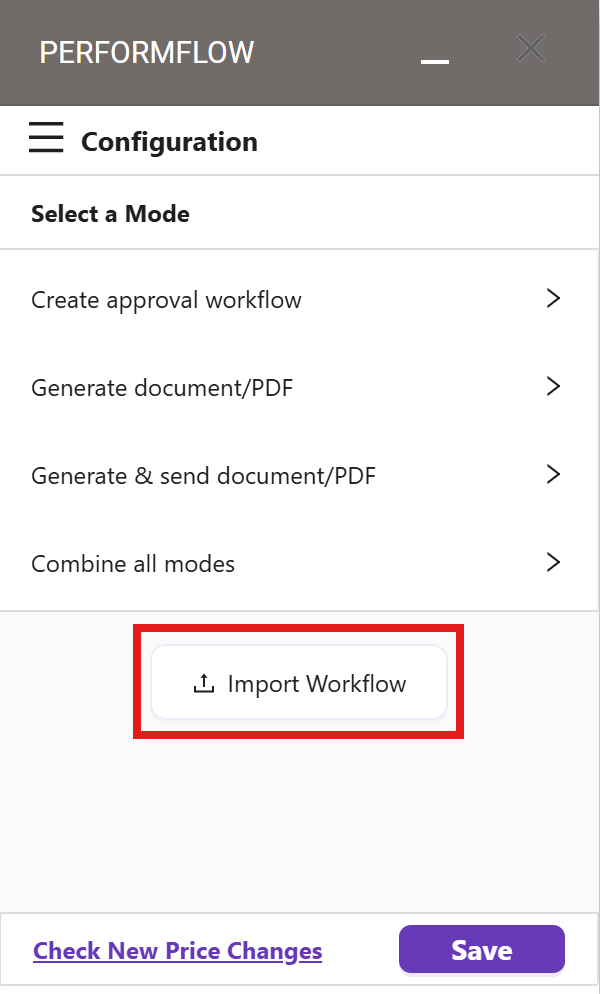
Note: This feature is currently available for Mode 1 (Approval Workflow Only).